
The Missing Piece Between “We Care” and “We Can Prove It”
Dec 22, 2025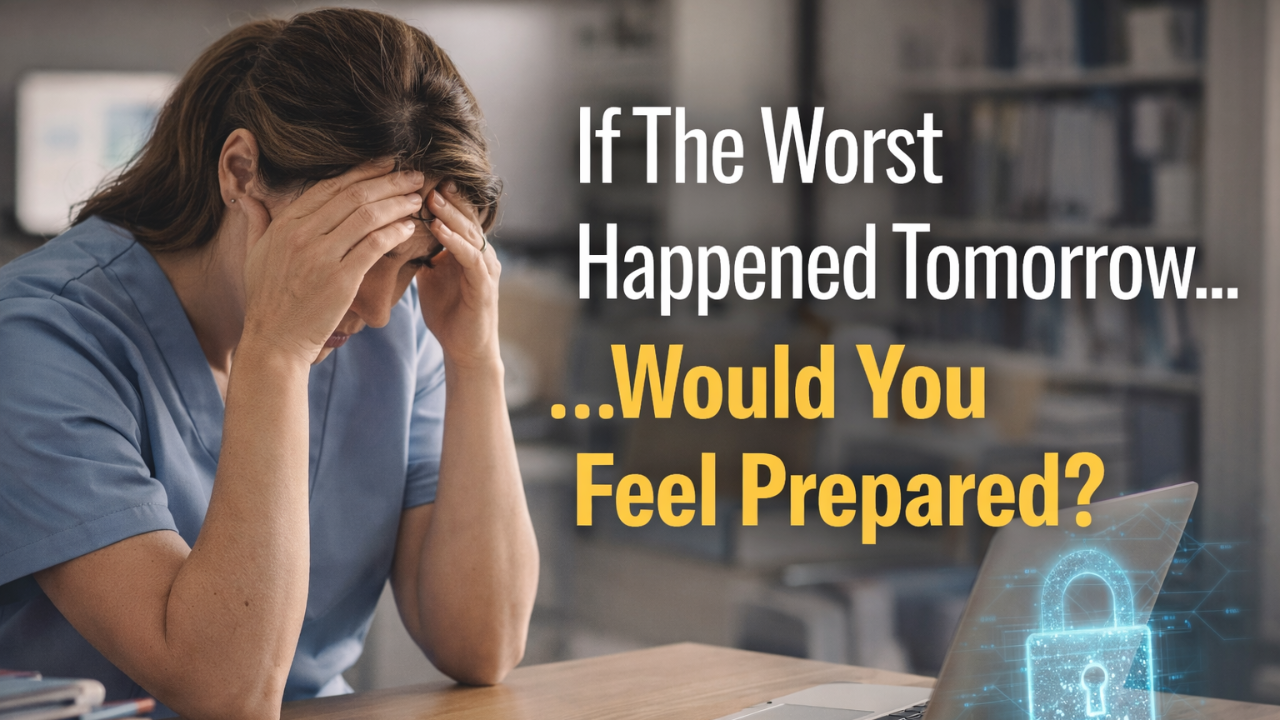
Before we get into frameworks, tools, or “best practices,” we need to talk about what this actually looks like in real life.
What you’re about to read is not hypothetical. It’s not a scare tactic. It’s a real situation that happened to an ABA business owner in our community — and it shows, painfully clearly, how the difference between taking action and not taking action ripples outward.
Not just to the owner.
But to the business.
To employees who relied on it for income.
To clients and families who relied on it for care.
To contracts, reputations, and years of work that can unravel far faster than anyone expects.
This story isn’t about someone being careless or irresponsible. It’s about what happens when very human life stress collides with invisible technical risk — and there aren’t enough safeguards in place to catch the fall.
Read it not as “that could never happen to me,” but as a reminder that compliance, security, and preparedness don’t exist in a vacuum. They exist inside real lives, real pressure, and real moments where trust feels reasonable… until it isn’t.
And the impact of what you do — or don’t do — reaches much farther than you think.
It didn’t start with a hacker - it started with a divorce.
This owner was going through something deeply personal — the kind of life event that drains your focus, your sleep, your emotional bandwidth. Court dates. Legal emails. Documents flying back and forth. Trying to keep it together professionally while everything else felt like it was coming apart.
She was still showing up for her staff. Still approving payroll. Still overseeing clinical operations across three locations. Still growing.
One afternoon, an email landed in her inbox from her divorce attorney.
Nothing unusual. Subject line looked normal. The message said something simple: “Here’s the updated document we discussed.” There was a link to what appeared to be a shared Word document.
She clicked it.
What opened looked exactly like a Microsoft 365 login page — familiar branding, clean layout, the same screen she saw every day. Without thinking twice, she entered her email and password.
And that was it.
What she didn’t know — what she couldn’t have known in that moment — was that her attorney’s email account had already been compromised. The message wasn’t really coming from him. It came from a cybercriminal who knew exactly how to exploit trust, timing, and stress.
The login page wasn’t Microsoft. It was a phishing form designed to capture credentials.
Within minutes, the attacker had access to her email.
Within hours, they had access to far more than that.
Because here’s where this story turns from unfortunate to catastrophic:
her Microsoft 365 account didn’t have multi-factor authentication enabled.
And even worse — her account was the Global Administrator of the entire Microsoft tenant.
That meant the attacker didn’t just get her inbox. They got everything.
Emails. Files. SharePoint. OneDrive. User accounts. Permissions. Audit logs. Settings. They had full visibility and control over a system that she herself did not have proper visibility or control over.
This was a three-location ABA practice. Actively growing. Dozens of staff. Hundreds of clients.
Nothing was encrypted.
PHI was sitting in email threads, shared folders, intake documents, treatment plans — all now visible to someone who was never supposed to be there.
The attacker quietly took over the business email. They monitored conversations. They accessed sensitive information. They exploited the lack of safeguards that no one had ever told this owner she was personally responsible for configuring.
By the time the situation fully surfaced, the damage was already done.
The fallout stretched into a nearly $3 million ordeal.
The FBI got involved.
Operations were disrupted.
Trust was broken.
Locations began closing — slowly, painfully.
Today, that practice no longer exists.
Not because the owner didn’t care.
Not because she was negligent.
But because she trusted systems that were labeled “secure”/“HIPAA-compliant,” believed that signing BAAs meant responsibility had shifted, and never realized that she — the covered entity — was still legally accountable for how PHI was protected.
This is the part no one tells you when they say, “just turn on MFA” or “this software is HIPAA compliant.”
There is no checkbox that transfers responsibility away from you.
Even with cyber liability insurance, risk is only transferred if you meet strict security, training, and documentation requirements — otherwise claims can be denied, delayed, or capped well below the damage actually done.
Business Associate Agreements don’t protect you from harm — they define shared liability. And when things go wrong, “shared” doesn’t mean “someone else takes the fall.” It means you’re still standing in it.
You need a “compliance binder”: what your cyber insurance, payers, and auditors are quietly expecting.
You need a plan.
Not because you expect the worst, but because life happens. Divorce happens. Stress happens. Trust gets exploited. And when the bad thing happens, the difference between “we care” and “we can prove it” is what determines whether you recover… or lose everything.
If you run (or help run) an ABA practice, you already know the vibe: you’re expected to deliver clinical excellence, keep schedules moving, manage staffing chaos, respond to parents, keep payers happy, and somehow also be a cybersecurity and compliance professional on the side. 😮💨
And the frustrating part is that most ABA owners don’t want to be sloppy with PHI. They’re not reckless. They’re just trying to operate inside a modern, remote-first reality. Considering how ABA actually operates day to day, these risks show up fast:
- Staff work from home, cars, and client homes
(often on personal or unsecured networks)
- PHI lives in email threads and shared drives
(even when everyone wishes it didn’t)
- Laptops get lost, phones get replaced, passwords get reused
(without centralized visibility or control)
- Vendors promise “HIPAA compliant” tools
(as if compliance were a setting you could toggle on)
These aren’t edge cases. They’re normal operations — and they’re exactly what attackers and auditors both expect to find. So, when we talk about Cyber Liability Essentials (CLE), we’re not talking about “yet another IT package.” We’re talking about the difference between:
- having some tools
and - having a defensible, documented, auditable program that shows you made a good-faith effort to protect ePHI.
That distinction matters because after a security incident (or during a payer/regulatory audit), the question usually isn’t:
“Did you mean well?”
It’s:
“Can you prove you did what was reasonable?”
CLE is designed to help ABA organizations answer that question with confidence.
What is CLE?
Cyber Liability Essentials is a foundational program designed to give your practice the minimum defensible structure needed to survive a cyber incident without it turning into a legal, financial, or operational disaster.
It’s not just about having security tools in place. It’s about having the evidence, documentation, and processes that prove you acted responsibly. These are the things insurers, auditors, and regulators look for after something goes wrong.
A helpful way to think about it is this:
your security tools are the locks and smoke detectors. Cyber Liability Essentials is what proves you were insured, had an emergency plan, and made sure people knew what to do when alarms went off.
In other words, it’s not “extra.”
It’s the part that makes your protections defensible when it matters most.
The uncomfortable truth: cyber risk is now an operations problem
Cyberattacks aren’t just “an IT thing” anymore. They hit operations where it hurts:
- claims and billing disruption
- loss of access to documentation systems
- credential compromise leading to mailbox theft and fraud
- ransomware that freezes scheduling, payroll, and clinical notes
- insurer questions like “Show us your training records” and “Where’s your incident response plan?”
And here’s the part that tends to surprise people: the worst damage often comes after the attack, when you realize you can’t produce the evidence that insurers, regulators, or payers expect.
Because the modern “failure” isn’t always that you got breached. Unfortunately, breaches happen to organizations doing a lot of things right.
The modern failure is:
- no documentation
- no training records
- no written policies
- unclear access controls
- no incident response playbook
- no proof of risk management decisions
That’s how an incident turns into a compliance and financial nightmare.
A lot of marketing around cyber risk uses spicy numbers that are hard to verify (or conveniently sourced from parties who benefit from you panicking). Here are some verifiable, independent stats:
- Ransomware isn’t just “an IT incident” under HIPAA. HHS OCR has explicit guidance that when ransomware encrypts data, a breach is presumed unless you can demonstrate a low probability of compromise based on the required risk assessment. https://www.hhs.gov/hipaa/for-professionals/security/guidance/cybersecurity/ransomware-fact-sheet/index.html
- Contingency planning and incident procedures aren’t “nice to have.” The same HHS guidance points directly back to Security Rule requirements for contingency planning and security incident procedures (i.e., having a plan, testing it, and being able to execute it). https://www.hhs.gov/hipaa/for-professionals/security/guidance/cybersecurity/ransomware-fact-sheet/index.html
- Human + credential pathways stay dominant. Verizon’s DBIR consistently shows how often breaches involve social engineering and credential misuse across industries, which maps uncomfortably well to the realities of small, remote healthcare orgs (email-driven workflows + mixed-device access). https://www.verizon.com/business/resources/T646/reports/2024-dbir-data-breach-investigations-report.pdf
- Cyber insurance is tightening. The NAIC’s cyber insurance market report documents how underwriting and expectations have shifted as loss experience changed… meaning carriers are increasingly focused on controls, risk management, and program maturity (which, again, becomes a documentation problem when you’re asked to prove it). https://content.naic.org/sites/default/files/cmte-h-cyber-wg-2024-cyber-ins-report.pdf
No scare tactics needed. The throughline is simple: evidence matters, and independent regulators are explicitly telling you what they expect to see when something goes wrong.
HIPAA compliance is a maturity curve, not a finish line
HIPAA doesn’t say “Install Tool X and you’re safe.” It expects you to do something more annoying and more realistic:
- identify risks
- implement reasonable safeguards
- train your workforce
- maintain policies and documentation
- monitor and respond
In other words: HIPAA is a program, not a product.
This is where CLE comes in: it helps you build the program.
Not perfect. Not invincible. But defensible.
And defensibility matters because the consequences of non-compliance aren’t one-size-fits-all.
The “Consequences of Non-Compliance” tiers: why good-faith effort matters
The HIPAA enforcement penalty tiers under 45 CFR §160.404 highlights a reality that doesn’t get said plainly enough:
Intent and response matter.
The tiers aren’t just “you messed up, pay money.” They reflect how and why the violation happened, and whether the organization took reasonable steps.
In plain English, the tiers map to a story like this:
- Tier 1: You truly didn’t know and couldn’t reasonably have known. (Still a problem—but the system recognizes reality.) $25k annual cap
- Tier 2: You should’ve known, but it wasn’t willful neglect. $100k annual cap
- Tier 3: You knew (or should’ve known), it crossed into willful neglect, but you fixed it quickly once discovered. $250k annual cap
- Tier 4: You knew it was wrong and didn’t fix it. $1.5 million annual cap
If you’re an ABA owner trying to protect your practice, CLE isn’t about obsessing over worst-case penalties. It’s about building the kind of environment where your story, if something goes wrong, looks like:
“We assessed risk, implemented controls, trained staff, documented decisions, and responded appropriately.”
That’s how you stay out of the “we knew it was wrong and just left it” category. That’s how you build a posture that regulators and insurers recognize as a good-faith effort.
What CLE actually is:
Think of your current security tools like locks on your clinic doors.
Important, yes. But if something happens, locks don’t answer questions like:
- Who had access?
- Were they trained?
- What policies existed?
- What was your response plan?
- How do you prove you were managing risk?
CLE is the system that ties the locks to the binder.
It’s the documentation, training, and operational structure that makes your security posture provable.
A complete CLE program typically includes:
- HIPAA-aligned policies and documentation
- email security + continuity + backup
- endpoint and device management
- security awareness training + phishing simulations
- risk assessments and monitoring (HIPAA/NIST aligned)
- incident response planning
- a dashboard or system for compliance visibility and reporting
You’re not just buying protection. You’re building evidence.
What you’ll have when your CLEs are in place:
- A baseline Acceptable Use Policy with tracked approvals/versioning, plus documented employee acceptance (evidence, not vibes).
- Incident response planning: both technical and non-technical playbooks, incident response policies, and training (so you’re not improvising under pressure).
- Cross-mapped AUP + incident response plans aligned with common standards and insurance requirements (translation: you’re not writing random policies in a vacuum).
- Documentation of critical data assets: what matters most and how it’s protected (huge for risk analysis and post-incident triage).
- Security training with evidence, plus technical training for IT personnel (if applicable).
- A secure, offline-accessible repository/portal for policies, plans, and training records (which is exactly what you want if your own systems are down).
- One-click reporting for incident response or insurers, showing reasonable steps were taken.
Again: not magic. Just documentation you can stand on.
How CLE maps to HIPAA controls (without drowning in legalese)
HIPAA’s Security Rule focuses heavily on three safeguard categories:
- Administrative safeguards (policies, training, roles, risk management)
- Physical safeguards (device control, workstation use, media disposal)
- Technical safeguards (access control, audit logs, integrity, transmission security)
CLE supports these categories through a practical, staged build.
1) Policies: turning “we do this” into “we can prove this”
Most small healthcare organizations do many reasonable things informally… but can’t demonstrate them.
CLE supports the creation of a foundational policy suite like:
- Privacy Policy (Privacy Rule + security management alignment)
- Acceptable Use Policy (workforce security + training expectations)
- Access Control Policy (role-based access, minimum necessary)
- Password Policy (unique IDs, password management)
- Data Confidentiality Policy (general security standards + transmission security)
- Mobile Device & BYOD Policy (device/media controls + authentication expectations)
- Disaster Recovery & Business Continuity (contingency planning)
- Breach Response & Incident Handling (response + breach notification alignment)
- Remote Access Policy (secure access and transmission protections)
- IT Asset Disposal Policy (disposal and media re-use)
- Security Awareness & Clean Desk Policy (training + workstation use)
- 3rd Party Access & Removable Media Policy (BA expectations + device controls)
- User Termination & Work-from-Home Policy (termination procedures + secure remote work)
This isn’t just paperwork for paperwork’s sake. This is what creates consistency and audit readiness in a remote, high-turnover environment (which… hello ABA).
2) Email and data protection: because inboxes are the front door now
Healthcare breaches frequently start with email. In ABA, that risk is amplified by:
- vendors and school districts emailing documents
- staff receiving schedule changes and client info
- high volume, fast pace, low margin for error
- phishing targeting payroll and direct deposit changes
Controls like encryption, spam filtering, sandboxing, predictive URL defense, and M365 backup/restore capabilities strengthen:
- transmission security (protecting data in motion)
- integrity and recoverability (restoring email/files after an incident)
- auditability and proof (showing safeguards exist and are enforced)
And the backup piece matters more than people think. If ransomware hits your environment, “we back up Microsoft 365” is the difference between a brutal rebuild and an actual recovery plan.
And to keep this grounded in independent guidance: HHS OCR explicitly ties ransomware preparedness back to contingency planning and security incident procedures under the HIPAA Security Rule, meaning “we can recover and we practiced it” is not just an IT preference. It’s part of what HIPAA expects you to have in place. Source: https://www.hhs.gov/hipaa/for-professionals/security/guidance/cybersecurity/ransomware-fact-sheet/index.html
3) Device security: controlling endpoints in a partially mobile workforce
ABA is not an office-only industry. It’s often field-based – and even if it’s not, you’ll still need some form of these same controls in a clinic setting. That means endpoints are the weak link unless you intentionally manage them.
These technology controls cover:
- patching and vulnerability management
- secure baseline configuration
- proactive monitoring
- help desk response and documentation
- consistent enforcement of device protections
For HIPAA, the theme is simple:
If a device touches PHI, you need a way to control it, secure it, and prove it. You need visibility and control.
That includes offboarding, too. In ABA, staff turnover isn’t a scandal, it’s just another Tuesday.
4) Mobile Device Management
In theory, BYOD (bring your own device) sounds flexible and cost-effective.
In real ABA operations, it’s one of the fastest ways to lose visibility, control, and defensibility.
Phones and tablets are absolutely part of modern ABA workflows like scheduling, communication, data collection, supervision, documentation. The problem isn’t mobile work. The problem is unmanaged, personally owned devices accessing PHI.
When staff use personal phones, tablets, or laptops, you lose the ability to reliably answer questions like:
- Is the device encrypted?
- Is there a screen lock?
- Who else has access to it?
- What happens if it’s lost, stolen, upgraded, or wiped?
- Can access be shut off immediately at termination?
From a compliance and liability standpoint, those unknowns matter more than convenience.
This is why a company-owned, company-managed device policy is the most defensible approach for ABA practices, especially remote and multi-location ones.
With organization-issued devices and centralized management, you can enforce:
- Encryption by default (so PHI isn’t readable if a device is lost)
- Screen lock and timeout requirements
- Remote wipe for lost, stolen, or offboarded devices
- App-level controls so PHI isn’t stored in unapproved locations
- Conditional access that blocks systems if a device falls out of compliance
This is how a remote workforce stops being a compliance liability and becomes a manageable, auditable operating model.
Many ABA organizations choose tablets — particularly iPads — for this reason: they’re durable, easier to lock down consistently, simpler to support in the field, and better suited to clinical workflows. (We break this down in detail in a separate article on why iPads tend to work best for ABA — and no, there’s no incentive involved.) https://ebcba.abaimpact.com/blog/apple-ipads-for-aba
The key takeaway isn’t the brand.
It’s the boundary.
If a device touches PHI, it should be owned, configured, and controlled by the organization. That clarity protects your clients, your staff, and your practice. It also dramatically reduces the chance that a single lost phone turns into a reportable incident.
5) Training + phishing simulations: because humans aren’t firewalls
HIPAA requires workforce training, but CLE pushes beyond “annual video checkbox” into something more defensible:
- annual security/HIPAA training
- weekly micro-trainings (security reminders that actually stick)
- phishing simulations and reporting tools
- baseline assessments for new hires
- dark web monitoring for exposed credentials
This builds a documented trail showing you didn’t just hope your team would do the right thing… you trained, tested, and reinforced.
6) Risk analysis + risk management: the backbone of good-faith compliance
A lot of business owners skip this because it feels abstract. But in enforcement and audits, risk analysis is foundational.
You need:
- annual HIPAA/NIST-based risk assessments
- employee vulnerability evaluation
- monitoring signals (like breached credentials)
- documentation of remediation decisions
That last piece is key: HIPAA doesn’t require you to eliminate all risk. It requires you to identify risk and manage it reasonably.
What your organization will need to do (because this is not “set it and forget it”)
You don’t outsource accountability. You build it internally, with support.
How real compliance gets built without burning everyone out:
- Appoint a compliance champion inside your organization (someone who coordinates and keeps momentum).
- Review and formally accept the Acceptable Use Policy (AUP) (baseline first, then approve).
- Answer questions about operations so controls/documentation match your actual environment (not a generic template).
- Review imported users so training and policy acceptance are applied correctly.
- Complete required training for staff (and technical defense training if you have IT personnel).
- Review/refine your data inventory and incident response plan so it reflects what’s critical and how you’ll respond.
- Maintain periodic updates and re-attestations so the documentation stays current.
That last one is the sleeper. Because “we had a policy once” doesn’t age well in audits. Keeping it current is part of what makes it defensible.
Why CLE is especially important for payer and regulatory audits
Payers and regulators are increasingly looking for evidence that providers can:
- protect PHI
- maintain continuity of operations
- govern access and workforce behavior
- respond to incidents responsibly
Even if an audit starts as “clinical documentation,” it can quickly drift into “how do you secure your systems?”, especially if you’re remote, multi-state, or growing.
CLE helps you show:
- you’ve built the baseline controls
- you have policies and procedures
- staff are trained (with completion records)
- devices are managed (or BYOD is governed)
- email and data are protected and recoverable
- you have an incident response plan
- you can generate reports quickly
That’s what reduces panic when someone asks for documentation with a deadline.
And again, to anchor this in independent regulatory posture: HHS OCR’s ransomware guidance makes it clear that incident response procedures, contingency planning, and the ability to execute them are not theoretical. They’re directly tied to Security Rule expectations—meaning “audit readiness” and “breach readiness” are cousins. https://www.hhs.gov/hipaa/for-professionals/security/guidance/cybersecurity/ransomware-fact-sheet/index.html
The outcome CLE aims for: not perfection but protection
Let’s be real: nobody “finishes” HIPAA. You build and maintain it.
CLE is a maturity curve approach:
- Start with foundational controls that reduce the most common risks
- Add documentation and governance so it’s repeatable
- Train people and test behavior
- Strengthen resilience so incidents don’t become disasters
- Keep evidence so your effort is provable
This is how you move from “basic digital hygiene” to policy-driven, operationally resilient compliance.
And if something goes wrong, because sometimes it does, you want your organization to be able to say:
“We didn’t ignore risk. We addressed it, documented it, trained for it, and responded appropriately.”
That is the difference between being treated as careless and being recognized as responsible.
How to Get Prepared (Without Doing Everything at Once)
If the story at the beginning of this article stuck with you… Good.
Preparation doesn’t mean panic. It means building visibility, control, and proof before something forces your hand. The good news? You don’t have to do this all at once, and you don’t have to do it alone.
Here’s a clear, ethical path forward — starting exactly where you are.
Step 1: Join the ABA Business Challenges Facebook Community
If you’re not already in it, start here.
This is a 12,000+ member community of ABA professionals, many of which are owners and leaders, who talk openly about:
- compliance headaches
- audits and payer pressure
- hiring and systems that actually work
- building sustainably without selling out
You’ll see quickly that you’re not “behind”. You’re just operating in a system no one trained you for.
👉 https://www.facebook.com/groups/ababusinesschallenges
Step 2: Learn from Subject Matter Experts (Without Fluff)
If you want practical explanations instead of fear tactics or tech jargon, this is where to go next.
We publish demos, walkthroughs, and real-world breakdowns of:
- HIPAA expectations
- Security mistakes we see every day in ABA
- how systems actually fail (and how to prevent it)
👉 https://www.youtube.com/@abaimpact
Step 3: Go Deeper With the eBCBA™ Odyssey Program
If you’re ready to move from reacting to building intentionally, this is the next level.
The eBCBA™ Odyssey is a course + more exclusive community built specifically for ABA business owners who want to master the business side of ABA without sacrificing ethics or quality of care.
We go deep into:
- strategy and structure
- finance and forecasting
- systems and decision-making
- sustainable growth
- clarity around what actually matters
You’ll define your mission, vision, primary aim, and financial “hypothesis” (often the biggest eye-opener for owners). You’ll also learn how to build your own AI-powered executive assistant to save time and reduce mental load.
Odyssey members get:
- Drip-released training across all core business functions
- Thursday Night Live calls (7–9PM EST) for real-time strategy and peer support
- A private community for accountability
- Templates, SOPs, and tools you can use immediately
- A bonus 1:1 strategy session when you join
Founder’s Rate: $97/month (locked in for life)
This will increase to $297/month once the Systems course is complete.
👉 https://ebcba.abaimpact.com/ebcba-odyssey-launch
If $97/month isn’t realistic right now, you can still start for free.
Step 4: Join the Free ABA Founders Program
This includes:
- Weekly live 1-hour workshops every Thursday at 3PM EST
- Our Foundation course covering mission, vision, financial projections, secure email setup, and building an AI executive assistant
All free. No upsell pressure.
👉 https://ebcba.abaimpact.com/ebcba-blueprint-foundation
Step 5: Attend the Live Founders Calls
Sometimes clarity comes fastest through live conversation.
Step 6: Join the Thursday Night Live Odyssey Calls
Experience the depth and tone of Odyssey firsthand.
Step 7: Keep Everything in Your Pocket
Access courses, community, and live events on the go.
- iOS: https://apps.apple.com/us/app/ebcba-odyssey/id6745910171
- Android: https://play.google.com/store/apps/details?id=com.kj2148624780.app
The Most Direct Way to Reduce Risk: Audit Readiness Jumpstart
If you want the fastest path to real visibility and defensibility, this is it.
The Audit Readiness Jumpstart is normally a $14,000+ engagement.
For a limited time, it’s available for $997 — and included free for Odyssey members.
This isn’t a checkbox exercise. It’s a practical, real-world assessment of how exposed (or protected) your practice actually is.
What We Look At (and Why It Matters)
Through an abbreviated HIPAA Security Risk Analysis, email security review, and vulnerability testing, we help you:
- Identify high-risk vulnerabilities like cracked passwords, missing patches, and unencrypted devices
- Expose email security gaps that enable phishing and impersonation
- Validate your defenses with real-world testing
- Benchmark your compliance posture so you can demonstrate good-faith effort
What You’ll Walk Away With
- 20-Point Compliance & Security Inspection
- Plan of Action & Milestones (POAM) in plain English
- Corrective Action Roadmap & Tracker (CART)
- Real-world threat simulations & tabletop exercises
- Email security & device hardening workshop (no new software required)
- Partner-ready compliance summary for payers, insurers, and auditors
This is how you move from “I hope we’re okay” to “I know where we stand and what to do next.”
👉 Book your Audit Readiness Jumpstart: https://meetings.hubspot.com/joshnelson/odyssey-sra-intro-call
There is no finish line for compliance — only maturity.
This is a journey, not a race.
And every step you take toward visibility, documentation, and control is a step away from becoming the next cautionary story.
My last note for ABA business owners:
ABA is built on trust. Families trust you with their children. Staff trust you with their livelihoods. Payers trust you with public and private funds. And every one of those relationships assumes you’re being thoughtful about protecting sensitive information.
Cyber Liability Essentials isn’t about fear. It’s about stewardship.
It’s the boring, grown-up infrastructure that protects your mission when the internet does what the internet does.
Progress doesn’t mean perfection.
But it does mean protection - and the ability to prove it.
Click here to join the eBCBA™ Odyssey and reclaim your role as the visionary leader you’re meant to be.
Stay connected with news and updates!
Join our mailing list to receive the latest news and updates from our team.
Don't worry, your information will not be shared.
We hate SPAM. We will never sell your information, for any reason.